Great ideas are everywhere, but execution is what sets teams apart. The right workflow management software doesn’t just organize tasks, it ensures they are completed efficiently and consistently.

Did you ever notice how ideas circulate in meetings, and yet nothing seems to get done? Teams deliberate, select what is important, and determine whose turn it is to do what. A couple of days later, the same questions come up again: Who’s on this? When is it due? Has anyone started?
It is the gap between discussing work and doing the work itself that most companies end up getting stuck on.
Ideas mean nothing without strong execution power.
From Spreadsheets, mail threads, and casual chat messages, it’s difficult to know who is in charge, who requires approval, and how much progress has been made.
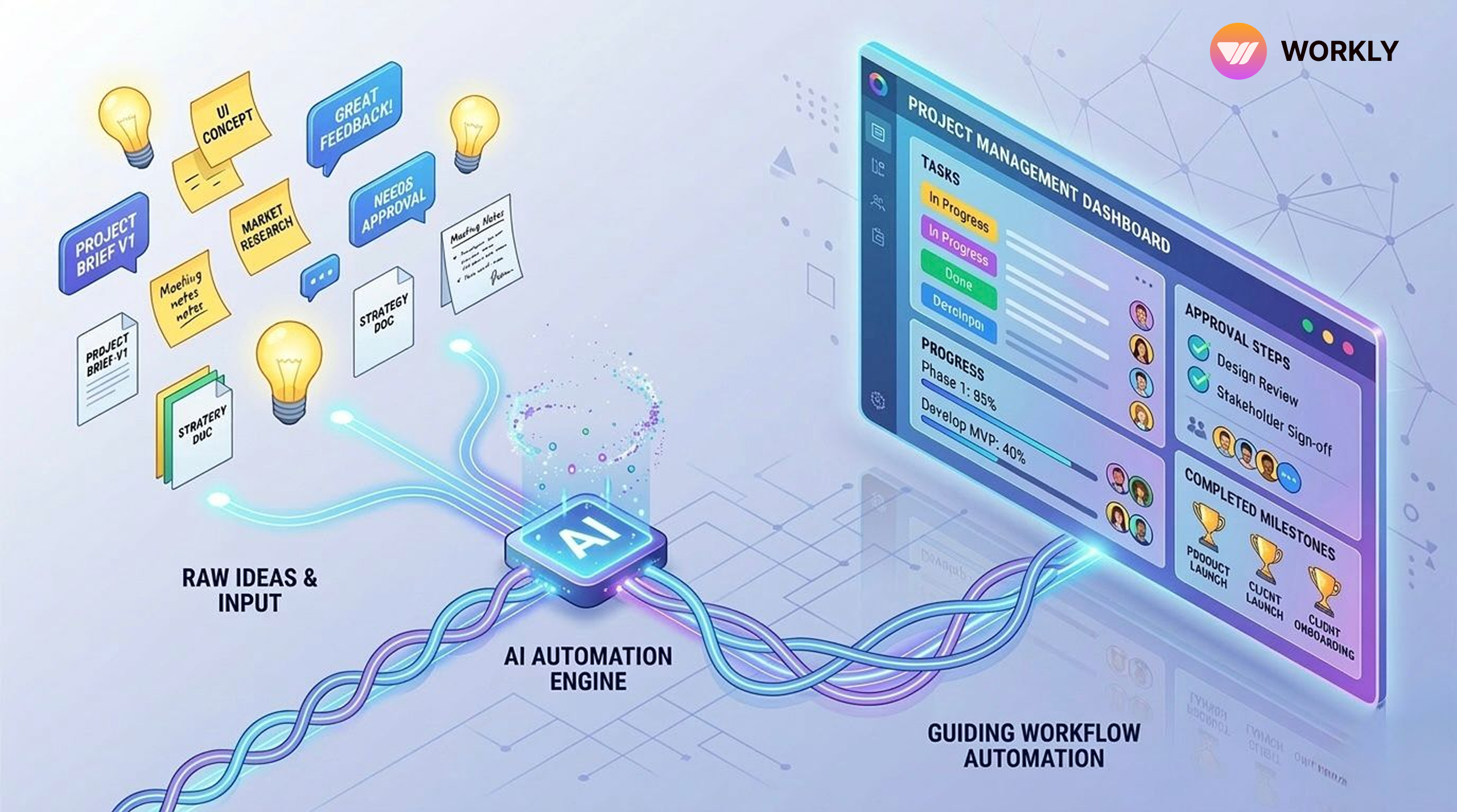
With workflow management software, it summarizes meeting discussions together and converts them into specific steps that get things going. Feature-rich workflow automation software integrates planning, approvals, and tasks into a single location, ensuring they continue to run without constant monitoring.
When you choose the right tool, these process management solutions don’t just list to-dos—they make sure ideas really become completed projects.
What is Workflow Software?
Workflow management software is a feature-rich application that configures, monitors, and automates the process by which work moves from one stage to another within a team or an organization.
It does not deal with all the tasks manually in spreadsheets, emails, and chats but creates a transparent process in which all actions, approvals, and owners are readily visible. Best workflow automation software ensures that the various processes automatically trigger the next action.
A strong workflow tracking system usually helps teams:
- Set clear steps for work that happens regularly
- Give every task or approval a clear owner
- See progress across projects and teams
- Automate the boring, repetitive parts
- Show live updates on what’s happening
Key Components of Workflow Management Software
Workflow tools are effective when they have a proper structure, automation, and good visibility. These core components keep work moving without getting stuck.
Workflow Automation Engine
The automation part moves work forward. Instead of waiting for someone to update the status, the system pushes tasks ahead using triggers and predefined rules.
Task Ownership Framework
Every step needs someone responsible. Workflow management software makes sure the right person is assigned clearly, so nothing stays unclear.
Approval Workflow Structure
Many processes need approval before moving on. Workflow software establishes clean approval paths within a dedicated approval workflow platform.
Workflow Visibility Dashboard
Visibility determines whether workflows stay on track. Dashboards show live information about projects.
Leaders can quickly check:
- Which workflows are active
- Which tasks are blocked
- Who owns what
- Any deadline problems coming up
Cross-Team Collaboration Layer
Most workflows cross between departments. Workflow software connects multiple teams inside one process management tool, so information flows smoothly.
Common Reasons Manual Workflow Systems Struggle to Execute Ideas
Lots of teams still try to run workflows with spreadsheets, emails, and chat apps. It works at first but breaks down as the company or team scales.
Ideas Stay Inside Conversations
Meetings create great ideas and decisions. Without a structured workflow system, those ideas stay stuck in notes or chat messages.
Without workflow automation, you end up with:
- No actual tasks created
- No clear owners
- Follow-ups left to chance
Manual Task Coordination
Managers spend a lot of time turning meeting notes into tasks. This manual process slows everything down and creates operational bottlenecks.
Lack of Workflow Visibility
When teams rely on fragmented tools, it’s hard to know where projects really stand. Work stalls because:
- Nobody is aware of the stage at hand.
- Problems stay hidden
- The updates are only made upon request.
Approval Delays
Delays in obtaining approvals via email or messages significantly slow projects. Common issues are:
- Approval requests are missed.
- Responses take too long
- No definite opinion on what has been decided.
Decisions are made faster with an automated approval workflow platform.
Fragmented Tool Ecosystem
Everything seems out of place when messages, tasks, and approvals are stored in separate apps. Teams keep switching between:
- Chat tools
- Project boards
- File storage
- Spreadsheets
That switching causes mistakes and slows work down.
Benefits of AI-Integrated Workflow Management Software on Productivity and Operational Efficiency
AI is changing how workflow management software works. These tools don’t just organize—they actively help get work done.
Faster Workflow Execution
AI-powered workflow automation software cuts the time from planning to finishing.
AI helps by:
- Automatic generation of tasks.
- Assigning the right owners
- Beginning the subsequent steps independently.
This results in projects being completed much faster.
Reduced Operational Coordination
AI workflow systems reduce the level of inter-team checks. As an example, tools such as Workly can automatically handle follow-ups and updates, so work does not stop just because no one is watching in particular. It reduces the time spent on management every day.
Proactive Deadline Management
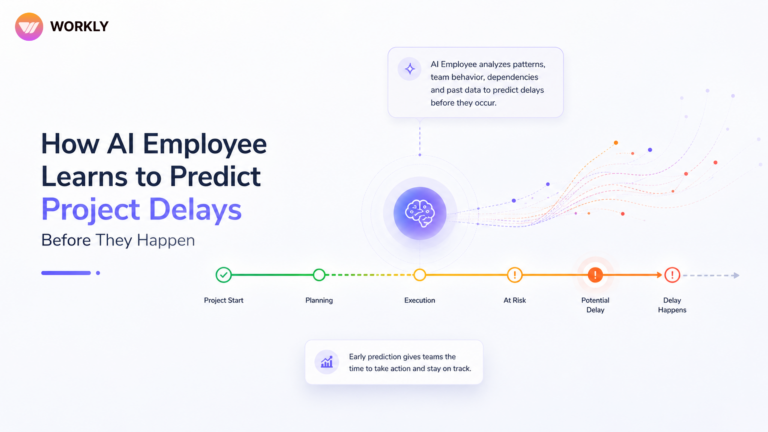
Early identification of deadline issues is one of the AI workflow tools success stories.
AI can:
- Spot tasks that are slowing down
- Send automatic alerts to owners.
- Create alerts prior to missing deadlines.
Project management tools such as Workly ensure projects are completed on time with no additional effort.
Intelligent Workflow Visibility
AI converts the activity data into valuable information without human involvement.
Teams get:
- Live progress dashboards
- Early warnings about slowdowns
- Clear views of bottlenecks
This helps companies make faster decisions.
Scalable Operational Efficiency
As teams grow, work gets more complicated. AI-based process management tools let you handle more without adding more coordination.
AI assistants, such as those found in Workly, manage the daily administration chores so that momentum does not slow.
Workly: Modern Age Workflow Management Software That Eases Project Execution
Workly is the newer kind of workflow management software. It goes beyond basic task lists by using AI Employees that actively run the workflows.
AI Employee Automation
Workly’s AI Employees watch meetings, chats, and tasks to turn conversations into real workflows. It means that meeting decisions are immediately converted into work with owners and due dates.
Automatic Task Creation
Workly eliminates the manual creation of tasks based on discussions. It builds tasks automatically from:
- Meeting notes
- Chat messages
- Shared documents
No more important decisions are lost.
Intelligent Follow-Ups
Workly monitors progress and automatically reminds when there are delays.
This makes sure:
- Stuck tasks get attention
- Owners stay responsible
- Deadlines stay safe
Managers no longer have to chase updates.
Real-Time Workflow Visibility
Workly presents up-to-date dashboards about team and project progress. Leaders can see right away:
- Workflow status
- Team results
- Task owners
- Any deadline risks
This gives a clear operational view.
6 Best Ways Workflow Management Software Turns Ideas into Executed Projects
Great ideas often die because they never turn into real work. The best workflow management software fixes that by changing conversations into clear steps, assigning owners, and taking automated actions that move projects forward.
Capture Ideas as Workflows
Ideas come up in meetings, brainstorms, or quick talks. Without structure, they disappear. Top workflow management software turns them into workflows immediately, so nothing gets forgotten after the meeting. The system records the next steps instead of relying on memory.
This starts execution right away.
Key steps include:
- Turning ideas into real tasks
- Setting clear stages for the work
- Connecting discussions to actual jobs
Assign Ownership Immediately
Projects fail when no one knows who’s responsible. Workflow management software puts ownership on every task and step from the start. When a task appears, it gets an owner so progress doesn’t depend on guessing.
Clear ownership gives:
- Visible owner for every task
- Transparent responsibilities across teams
- Smooth movement without confusion
Automate Workflow Progression
Handling work manually slows things down. Modern workflow automation software removes delays by automatically starting the next step when one finishes.
Teams can:
- Create tasks automatically
- Move work between teams easily
- Notify people when it’s their turn
Structure Approval Processes
Approvals slow down many projects. Workflow management software builds clean approval flows so decisions reach the right people quickly.
With an automated approval workflow platform, you can:
- Send requests to the correct people
- Track approval status live
- Avoid delays from missed messages
Track Execution in Real Time
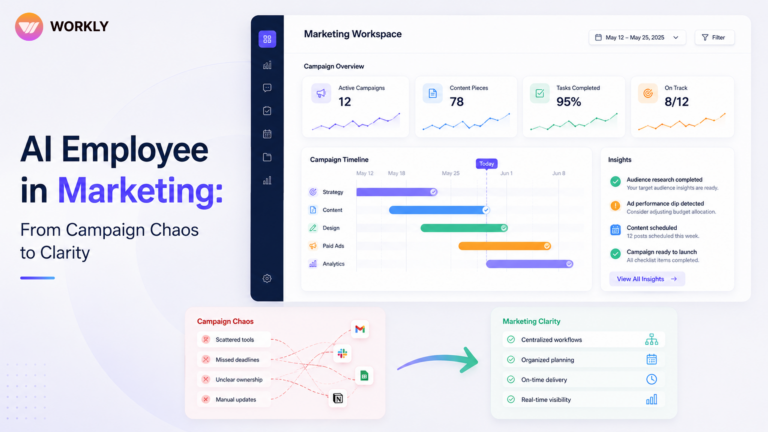
You need to see what’s happening to manage big projects. Workflow tracking systems provide dashboards that show current task status, approvals, and milestones.
Teams get instant views of:
- Active workflows
- Blocked tasks
- Who owns each part
Maintain Workflow Continuity
Failures in projects arise when information is lost amid tools or teams. The workflow management software also stores conversations, files, and tasks in a single location, ensuring everything remains connected.
Combined process management tools help teams:
- Keep context through all stages
- Reduce gaps between departments
- Keep workflows lined up with company goals
Stop Managing Workflows Manually. Let Workly Run Them for
Ideas shouldn’t disappear after meetings. Workly turns discussions into structured workflows run by AI Employees automate task tracking, protect deadlines, and keep the team accountable. If your team wants to stop manual chasing and finish projects faster, Workly gives you the smart workflow management software built for modern teams.
Book a demo and see how Workly turns ideas into finished projects.
FAQs
What is workflow management software?
The workflow management software system structures and automates the flow of work through the process of planning, approvals, performing the work, and finishing it. It assists teams in monitoring progress, assigning owners, and streamlining operations.
How does workflow automation software improve productivity?
Workflow automation applications eliminate manual steps by creating tasks, initiating actions, and sending reminders automatically. This reduces time wastage and ensures projects are completed within a shorter duration.
What is an approval workflow platform?
An approval workflow platform automates approval processes by routing requests to the appropriate individuals and displaying the approval status in real time.
How do AI-based workflow systems help teams?
AI-powered workflow systems monitor activity, send automated follow-ups, and detect slowdowns early. This helps teams complete work faster with less manual effort.
Why is Workly considered one of the best workflow management software solutions?
Workly brings together workflow automation, AI Employees, task tracking, and real-time visibility to turn conversations into completed projects, making it a great fit for modern teams.
AI-First Collaborative OS
Stop managing tools. Start running work.


Emily Carter
Technical writer specializing in SaaS product documentation and in-app guides. Converts engineer-heavy inputs into clear user journeys, FAQs, and release notes.