Today, it’s not the manual effort that wins, but smart management that keeps teams moving. This is the smart age, the era where smart project management wins. Therefore, project management tools are no longer optional; they help teams define responsibilities, stay on schedule, track progress, and avoid constant check-ins. According to industry reports, over 77% …

Today, it’s not the manual effort that wins, but smart management that keeps teams moving. This is the smart age, the era where smart project management wins. Therefore, project management tools are no longer optional; they help teams define responsibilities, stay on schedule, track progress, and avoid constant check-ins.
According to industry reports, over 77% of high-performing teams rely on project management tools to manage assigned work. Whereas, over 60% of project failures occur due to miscommunication and lack of follow-ups.
This gap and constant failures make choosing the right project management tool critical to productivity and execution. So, which project management tools actually fit your needs in 2026?
We tested widely used free and paid options to find tools that reduce headaches, streamline execution, and close communication gaps. Let’s get to the business of selecting tools that help teams manage better and deliver faster.
Today, it’s not the manual effort that wins, but smart management that keeps teams
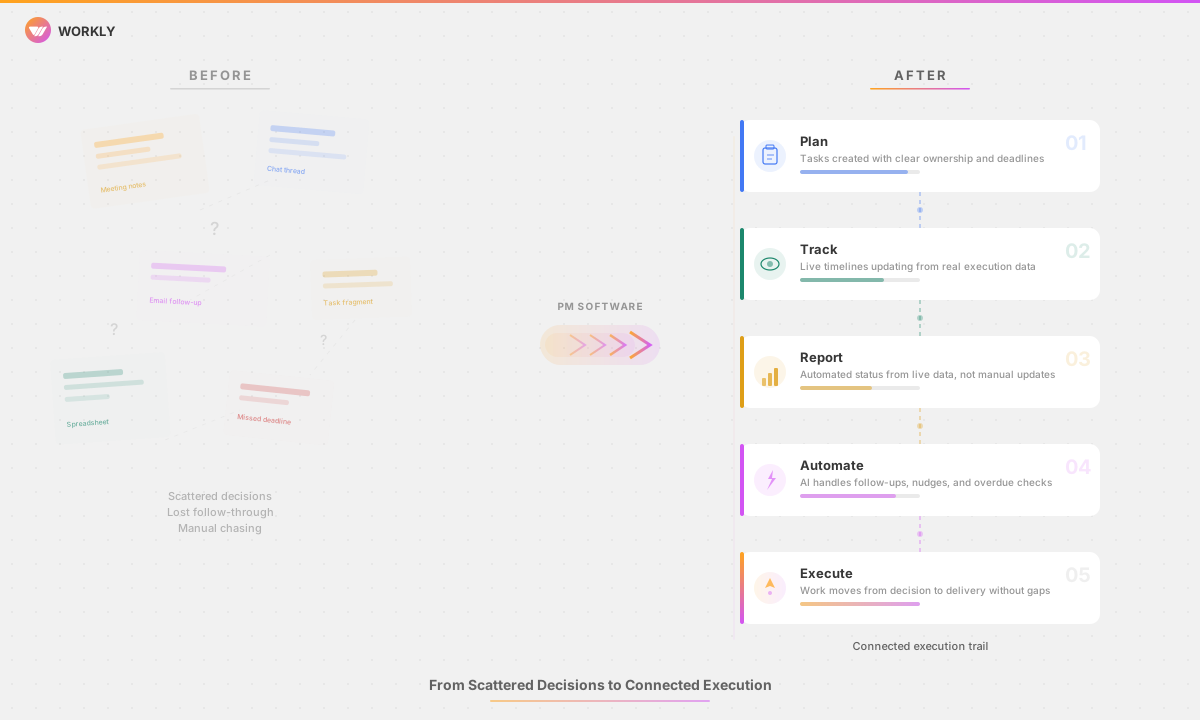
Why Most Project Management Tools Fail in 2026
Sometimes, rather than work companions, Project management tools turn into bigger headaches. Here are the most common reasons why project management tools fail
Manual Updates
Most project management tools rely on team members to regularly update task details and statuses. In everyday work situations, this habit falls apart fast.
Typical problems are
- Tasks are not updated after meetings
- Progress changes get overlooked or recorded late
- Overview screens stop reflecting what’s actually happening
When platforms need constant human input to stay accurate, trust in the tool declines over time.
Tracking Over Execution
Standard tools focus on monitoring what’s scheduled, not on ensuring things actually get done. Tasks sit idle until someone personally checks in.
This usually creates:
- Setbacks that nobody notices
- Obstacles that remain hidden
- Managing projects by putting out fires
Modern AI-driven methods, such as those in an AI-powered project management tool like Workly, prioritize execution indicators over passive monitoring.
Meeting Dependency
When project platforms don’t refresh themselves, teams end up scheduling calls just to figure out where things stand. Status calls increase, but clarity doesn’t.
Teams deal with:
- Calls scheduled purely for updates
- Status calls increase, but clarity doesn’t
- Barely any time left for actual choices
Tools that turn conversations into action items and status changes substantially reduce unnecessary meetings.
Tool Overload
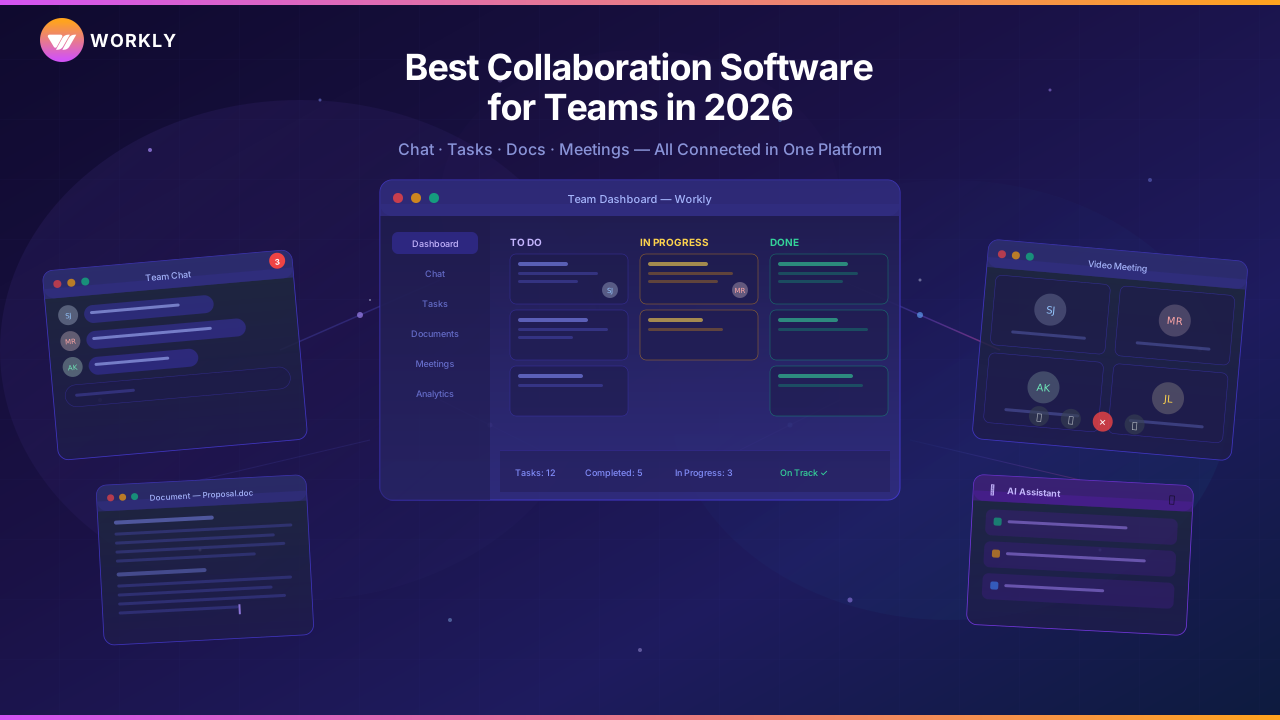
Teams add more and more separate apps for messaging, file sharing, customer management, and task lists to address gaps. Details end up everywhere, and the full picture disappears.
This creates:
- Entering the same information multiple times
- Nobody’s clear who owns what
- Way more effort just to stay aligned
Integrated systems like Workly serve as a single hub for project management tool cut through this mess.
Poor Visibility
Leadership needs up-to-date information, but most tools rely on manual report creation. When those reports finally arrive, they’re already behind.
Common roadblocks:
- Reports show up late or with gaps
- Choices get made on guesswork
- Problems get spotted too late
Real-time visibility into projects across all workstreams provides a clearer perspective.
Limited Automation
Many project management tools include automation features, but they usually handle only simple workflows. The main coordination work still falls on people.
Platforms that integrate automation into the core of project management, such as Workly, eliminate the need for constant manual follow-up and help maintain momentum.
Quick Comparison: Top 3 Project Management Tools in 2026
Tool | Best For | Pricing | AI Features |
Workly | AI-driven execution & automation | Free + Paid | Yes (AI Employees) |
Asana | Structured task workflows | Paid | Limited |
ClickUp | Customizable task views | Free + Paid | Limited |
10 Best Project Management Tools That Streamline Tasks Seamlessly
There is no single tool that is universally applicable across all circumstances, but some are outstanding at guiding teams through planning, monitoring, and completing work. These are the top 12 choices in 2026, ranked by strength, ease of daily use, clear costs, and performance differences between teams.
1. Workly – Best AI-Powered Project Management Tool
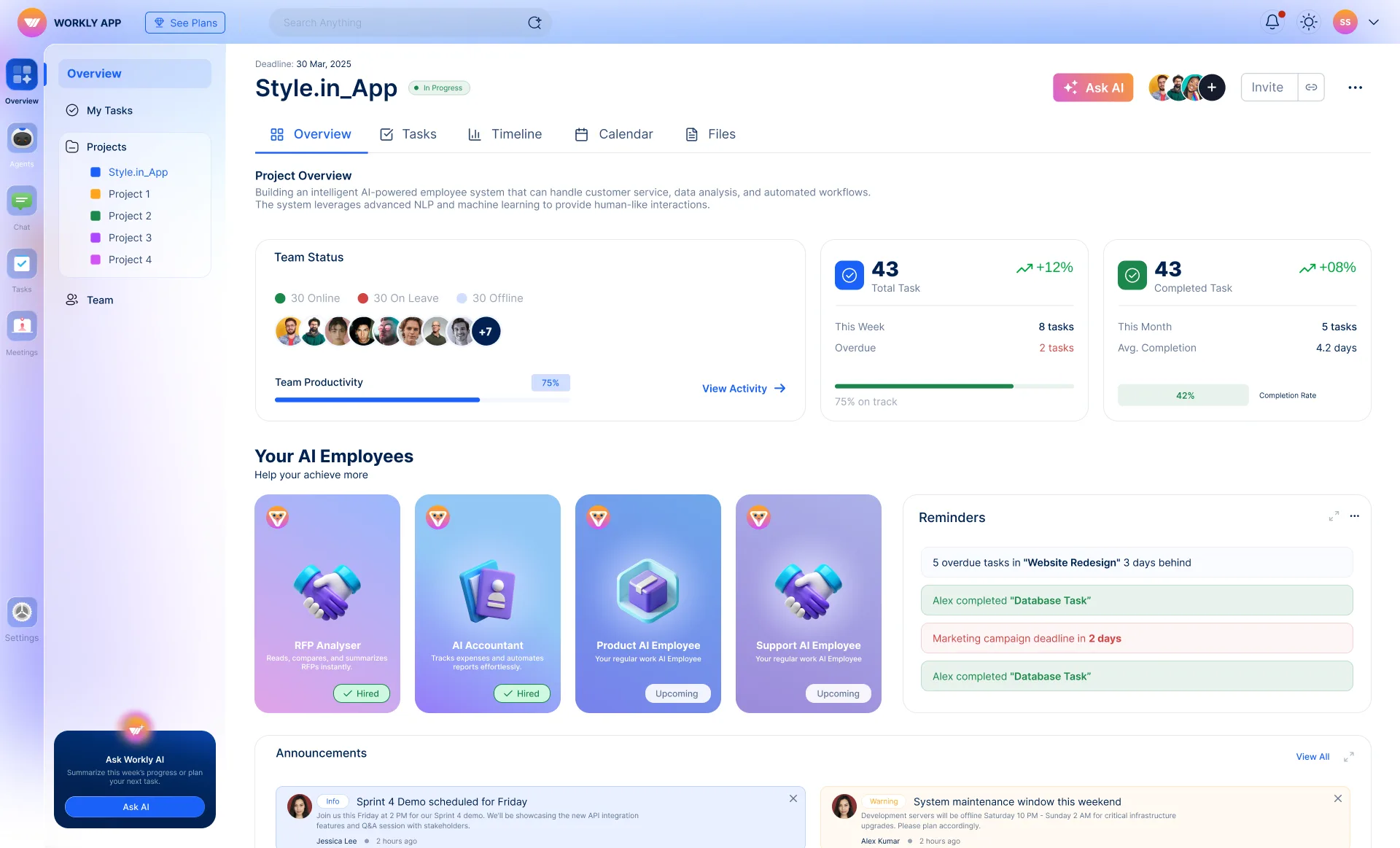
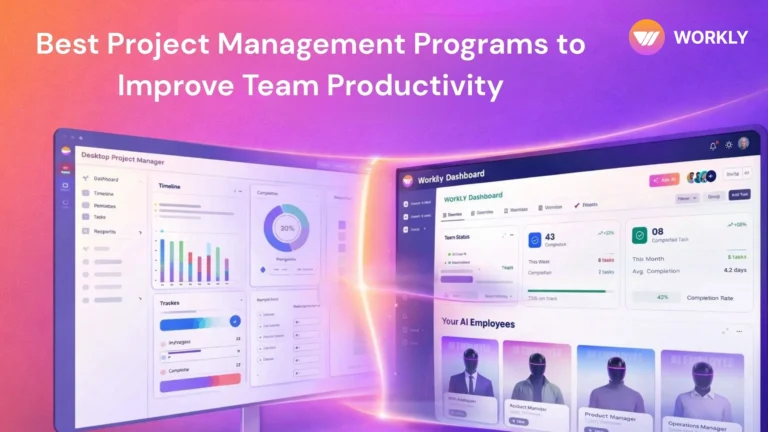
Workly is the best AI-powered project management tool on the list, transforming project delivery into a self-running process rather than one that requires individuals to continue reporting.
Traditional systems remain tied to lists and screens, whereas Workly introduces AI-Employees that make decisions, construct tasks, delegate them to the right individuals, adjust dates, and automatically check in without requiring any typing. This shifts the focus from observing improvement to improving.
People no longer have to hunt down project leads to see new status updates, and everyone can think big because Workly handles advances, nudges, and integration between apps.
Key Features
- AI-Employees handle automated follow-ups
- Smart capture from meetings
- Task creation and assignment
- Real-time project tracking
- Cross-tool integrations
Pros
- Cuts out chasing for manual status
- Heavy on real automation
- Live progress instead of stale reports
- Works with existing workflows
Pricing
Plan | Price (per user/month) | Best For |
Free | ₹0 | Teams up to 10 users |
Team | ₹999 | Small teams |
Business | ₹1499 | Growing companies |
Enterprise | Contact Sales | Large organizations |
Get control of your project in your hands with Workly, and let its automation capabilities seamlessly streamline project updates, meetings, and productivity.
2. Asana
Asana lets teams organize work using tasks, timelines, and linked items within clear projects. You make plans effortlessly, highlight important points, and monitor progress in a list, board, or timeline. Asana’s rules handle recurring tasks, and its overview screens provide a high-level view across multiple efforts, which works well for groups that prefer structure and proper planning.
Key Features
- Timelines, boards, lists
- Task links and dependencies
- Basic automation
3. ClickUp
ClickUp is a collection of tracking projects, which unites notes, tasks, overviews, and rules. You receive customizable screens, such as a list, board, or timeline that suit your team, and AI and work rules reduce the duplication of tasks. Packed with features and easy to budget, ClickUp is the project tracking tools for groups that need customization.
Key Features
- Various task displays
- Overviews and dashboards
- AI helpers
- Rules and automations
4. Monday.com
Monday.com provides teams with colorful boards and flows to plan, watch, and automate everything in one place. You configure fields, make rules, and compile dashboards to envision projects. It excels at making things visible and uniting people around cross-functional teams, though it does not focus on hands-off delivery as some AI solutions do.
Key Features
- Colorful boards
- Rules and automations
- Connections to other apps
5. Trello
Trello uses boards, lists, and cards to help teams naturally map workflows. Well-suited to smaller groups or simple jobs where heavy reporting is not required. Plug-ins enhance its functionality, and the sleek design ensures its attachment.
Key Features
- Kanban-style boards
- Cards holding checklists
- Add-on extensions
6. Jira
Jira is the best agile project management tool on the list, designed to support agile teams and software development. It includes setting up sprints, managing the backlog and flows, and the step-by-step release of reports.
Key Features
- Agile-style boards
- Sprint setup
- Issue following
7. Notion
Notion offers note-taking, documentation, and project tracking. Teams prefer to have information and work on the same page. It does not fit well with hard-and-fast schedules or rigidity, but its flexible structure and customization make it a popular online project management tool among groups that value background information on the work.
Key Features
- Database setups
- Documents and pages
- Kanban-style boards
8. Wrike
Wrike offers massive project organisation with advanced dashboards, people scheduler, review tools, and custom workflows. It is designed to serve larger organizations with robust reporting, balanced workloads, and interdepartmental balance. Though it is costlier than basic tools, the advanced features and complexity pay off for complex projects.
Key Features
- Detailed dashboards
- People and resource planning
- Rules and automations
9. Smartsheet
Smartsheet brings the familiar grid feel you are used to and introduces rules, reports, and group work to project management. Best in teams that like table views and prefer high task following. It does not load as many images as boards do, but it presents complex information and updates in a more intuitive way.
Key Features
- Grid and table views
- Rules and automations
- Dashboards
10. Basecamp
Basecamp is one of the next online project management tools in line, focusing on chat and simple project workflows. It includes to-dos, announcement spaces, a calendar, and file places to get everybody in line without the additional layers. Small groups that prefer fixed prices and do not require advanced tracking capabilities prefer flat costs.
Key Features
- Announcement boards
- To-do lists
- Calendars and schedules
How to Choose the Right Project Management Tool?
Choosing between dozens of project management tools in 2026 is less about flashy lists and more about how long you can hold your team under your arm. Here’s how to choose the right Project Management Tool in 2026:
1. Team Size and Scalability
The size of your group today matters less than how fast you plan to grow. Many tools are effective for small teams of five people, but fail as coordination increases. Search for the ones that manage access, cross-group views, and scale without additional paperwork.
2. Workflow Fit
Your project management tool should be flexible to your team’s style, but it should not force everyone into rigid steps. If the tool requires training just to begin your journey, friction is guaranteed.
3. Automation Depth
Many tools advertise automation but fail to perform when triggered by simple inputs. In 2026, that’s not acceptable at all. Check whether automation really eliminates the need for human intervention.
- Can tasks be created automatically?
- Do follow-ups happen without reminders?
- Does the system move forward on its own?
AI-powered project management tools like Workly stand apart here.
4. Seamless Integrations
Integrations are useful only when they eliminate duplicate effort. Integrating with tools is of no use if it still requires manual syncing.
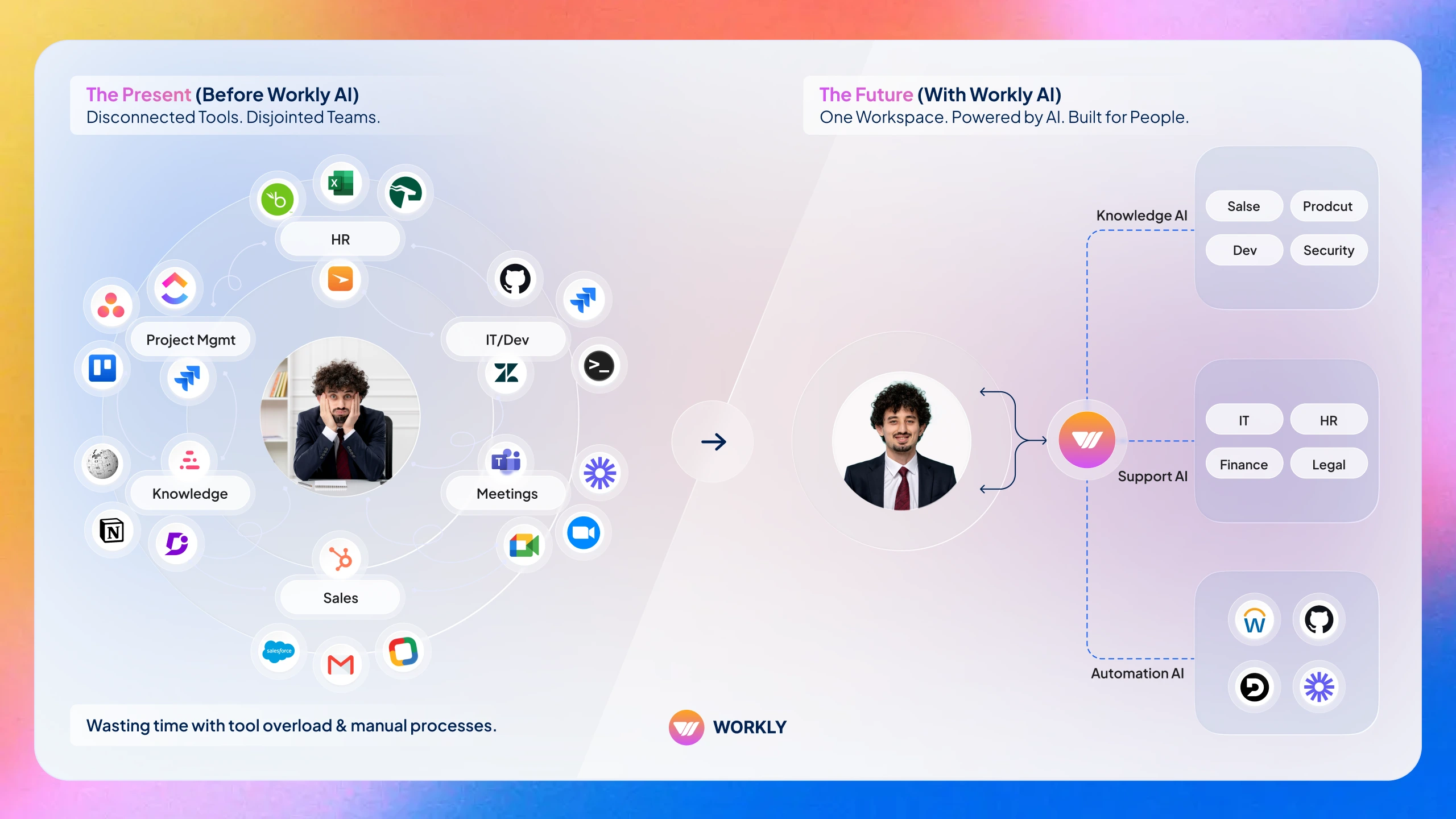
- Built-in integrations to chat, meetings, and CRM
- Data moves between apps without any manual interference
- Single clear spot for all project information
5. AI Capability That Goes Beyond Suggestions
Choose the project tracking tools with smart AI capabilities that operate more than just suggesting tasks. The best AI project management tools work as your companion during the execution.
- Convert meetings into tasks automatically
- Set owners and dates automatically
- Follow up when progress stalls
AI-managed coordination gives humans the flexibility and time to focus on decisions and direction.
Simplify Project Management With Workly
Work smarter with Workly, which streamlines management and reduces manual burdens. Workly moves project management from manual tracking to autonomous execution by letting AI Employees take care of coordination in the background.
If scaling with speed, clarity, and ownership matters, Workly is where every dot connects. Get the project moving and management gets easier with Workly, and experience project management without chasing.
FAQs
What is the best free project management tool?
Both Workly and ClickUp offer strong free plans, but Workly has the advantage of its AI-first approach.
Which project management tools are best for small teams?
Smaller teams will benefit from the tools that can eliminate busywork, such as Workly, Trello, or Zoho Projects.
Which are the best AI project management tools?
Workly is one of the best AI project management tools with autonomous execution features.
Can project management tools replace manual coordination?
Only the AI-powered ones, such as Workly, significantly reduce manual chasing.
AI-First Collaborative OS
Stop managing tools. Start running work.


Emily Carter
Technical writer specializing in SaaS product documentation and in-app guides. Converts engineer-heavy inputs into clear user journeys, FAQs, and release notes.