Almost every task management app works in the beginning. Tasks get added. Lists look clean. People feel organised. For a short while, work feels under control.Then reality kicks in.Follow-ups don’t happen. Tasks stop moving. Deadlines slip quietly. The app is still there, but it’s no longer helping. Eventually, it becomes another place people avoid opening.This …

Almost every task management app works in the beginning. Tasks get added. Lists look clean. People feel organised. For a short while, work feels under control.
Then reality kicks in.
Follow-ups don’t happen. Tasks stop moving. Deadlines slip quietly. The app is still there, but it’s no longer helping. Eventually, it becomes another place people avoid opening.
This piece looks at why most task management apps fail once real work pressure shows up, what breaks after the initial motivation fades, and what actually keeps tasks moving over time.
The first few days with a new task management app feel productive.
You finally dump everything out of your head.
You organise tasks into neat lists.
You add due dates you fully intend to respect.
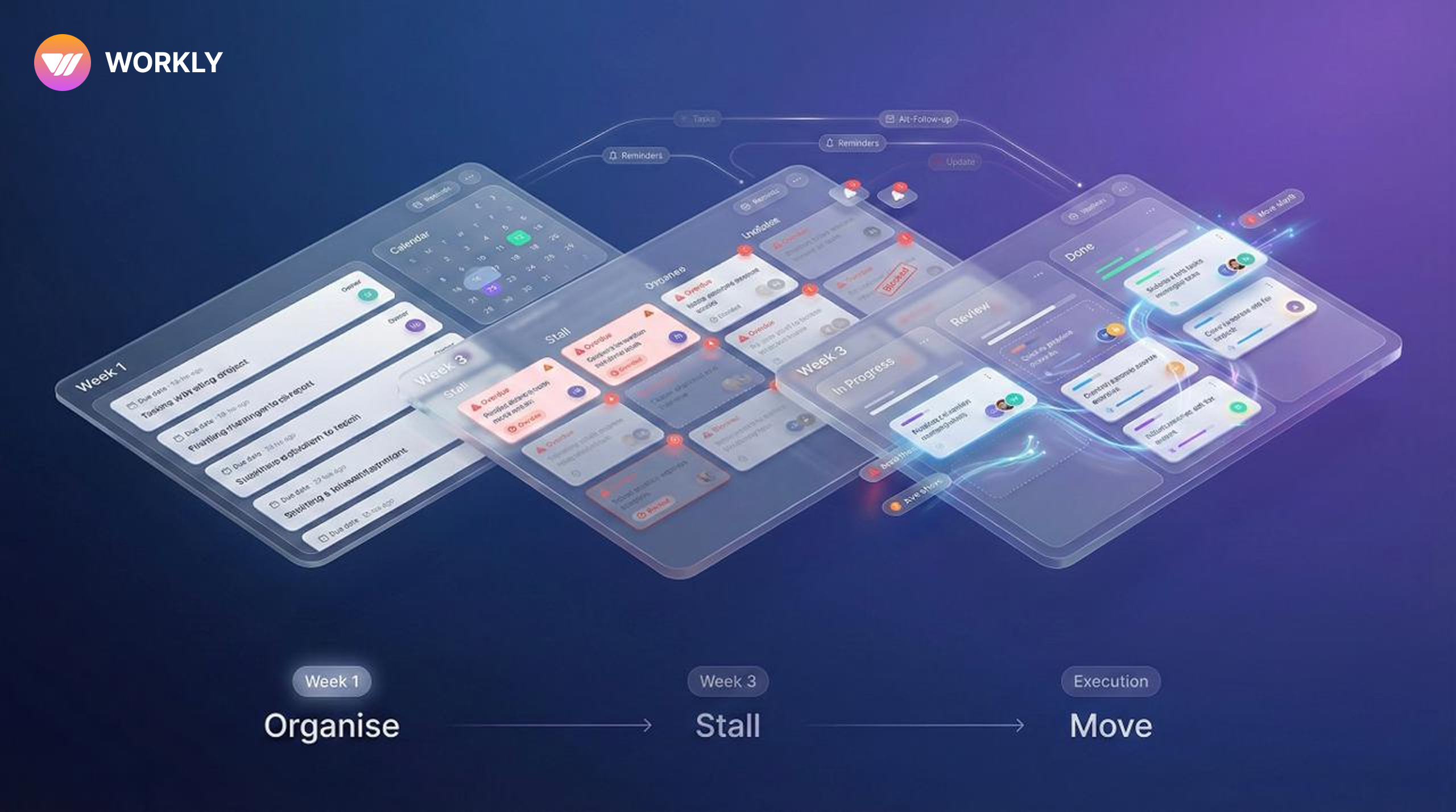
Week one feels light. Week two feels manageable.
By week three, something shifts.
Tasks are still there, but they’re not moving. A few are overdue. Some are blocked. Others were never really owned by anyone. You tell yourself you’ll clean it up later.
That moment is where most task management apps lose relevance.
Not because the app is poorly built. But because it was designed for an ideal version of work, not the messy one most people actually live in.
The Problem Task Management Apps Rarely Address
Most task management apps focus heavily on capturing tasks.
That part is easy.
What they don’t talk about is what happens after:
- When priorities change mid-week
- When tasks depend on people who are already overloaded
- When no one wants to follow up again
- When attention moves faster than systems
A task tracking app that assumes people will regularly check, update, and chase tasks is fragile by design. It works only when motivation is high and workload is reasonable.
Those conditions don’t last.
Why Tasks Stop Moving Even When You “Have a System”
Tasks Depend Too Much on Memory
Most task management apps still rely on a simple assumption: someone will remember to check the app.
In calm weeks, that’s fine. In busy weeks, it fails.
People don’t ignore tasks because they don’t care. They ignore them because attention is finite. The more a system depends on attention, the less reliable it becomes under pressure.
Follow-Ups Create Friction
This part rarely shows up in product pages.
People hesitate to follow up.
They don’t want to sound pushy.
They wait longer than they should.
In teams, this leads to quiet delays. Tasks don’t get cancelled. They just stall.
A task assignment app that doesn’t address follow-ups effectively ends up pushing this discomfort back onto users.
Visibility Fades Faster Than Expected
In many to-do list apps for teams, visibility depends on manual updates.
Once updates slow down, no one knows what’s actually happening:
- Is this task blocked?
- Is someone working on it?
- Was it forgotten?
At that point, the task list becomes a historical record, not a live system.
The Difference Between Tracking Tasks and Moving Tasks
This is the distinction most productivity task manager apps never make.
Tracking tasks means:
- tasks exist somewhere
- deadlines are visible
- owners are assigned
Moving tasks means:
- Stalled work is noticed
- follow-ups happen on time
- Ownership stays clear without constant checking
- Progress remains visible with minimal effort
Most tools are good at tracking. Very few are good at moving work once things get busy.
Why To-Do List Apps Hit a Ceiling for Teams
To-do list apps work well when:
- You’re working alone
- tasks are short-lived
- dependencies are minimal
They start breaking down when:
- Work depends on others
- timelines stretch beyond a few days
- Priorities change frequently
- Coordination matters more than planning
This is why many teams feel friction even with a “good” task management app. The tool isn’t wrong. It’s just operating at the wrong layer of the problem.
What Actually Keeps Tasks Moving Long-Term
Systems That Tolerate Inattention
No one checks any app every day forever.
A task management app that survives long-term use assumes people will miss things and compensates for it. It surfaces what needs attention instead of waiting to be noticed.
Follow-Ups That Don’t Feel Personal
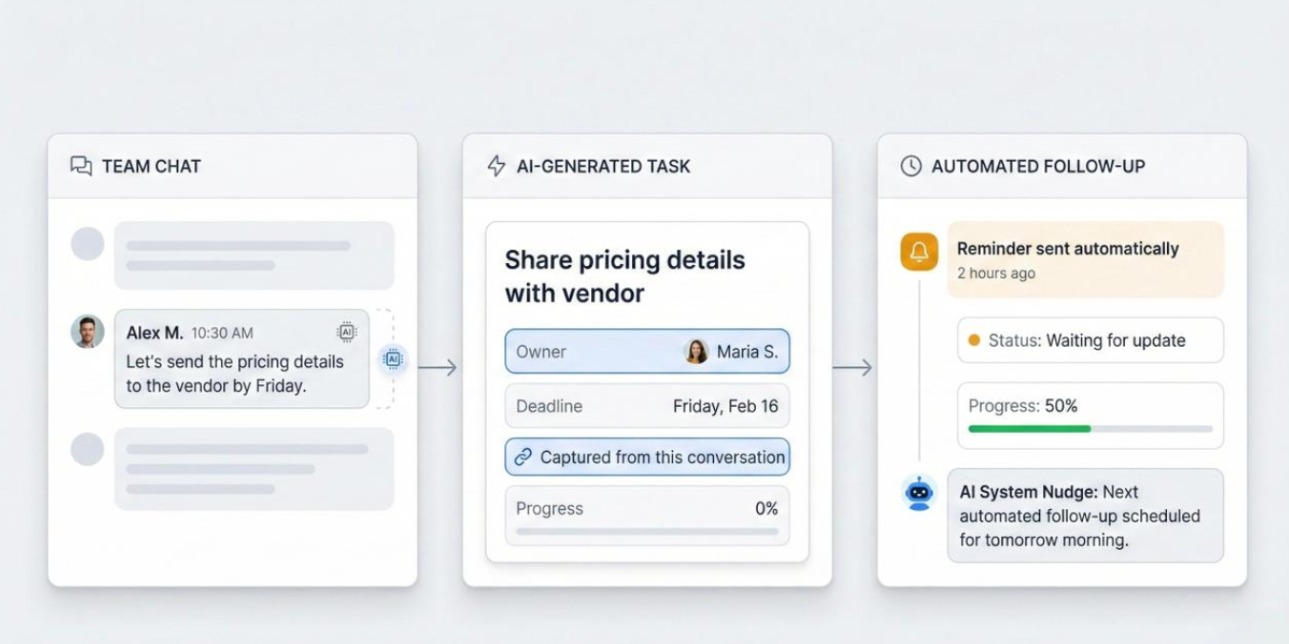
Automated follow-ups change team behaviour in a subtle but important way.
The reminder comes from the system, not a person.
There’s less hesitation.
Less awkwardness.
Less delay.
This alone keeps many tasks from stalling unnecessarily.
Progress Signals That Stay Current
When progress updates happen automatically or with very low effort, visibility stays real. When updates depend on discipline, accuracy erodes.
This is where many task tracking apps quietly lose trust.
Where Workly Fits Into This Problem
Workly exists because most task systems break after the planning phase.
Instead of focusing only on task creation, it pays attention to what happens next. Follow-ups. Silence. Delays. Tasks that exist but aren’t moving.
By handling reminders and nudges automatically, it reduces the amount of manual coordination required to keep work alive. That matters most for:
- individuals juggling many tasks
- small teams without a dedicated manager
- work that shifts frequently
- environments where follow-ups feel uncomfortable
Workly doesn’t replace thinking or conversations. It reduces the invisible work of remembering, chasing, and checking.
Why Project Management Software Often Isn’t the Answer
When task apps start failing, many teams jump straight to project management tools.
That often creates a different problem.
Project management software is built for:
- structured timelines
- defined phases
- predictable dependencies
If your issue is missed follow-ups or stalled tasks, heavier tools don’t fix the root cause. They often add more overhead and more places to update.
A task management app that supports execution is usually the better next step before adding complexity.
How to Choose a Task Management App That Doesn’t Fade Out
Instead of asking what features it has, ask:
- What happens when no one checks it for two days?
- How does it surface stalled work?
- Who is responsible for follow-ups?
- Does visibility stay accurate without manual effort?
If the system relies entirely on discipline, it probably won’t last.
FAQs
Why do task management apps stop working after a few weeks?
Because initial motivation fades and real workload takes over. Most apps rely on regular checking and manual updates, which breaks down under pressure.
Is a task management app enough for teams?
For individuals and small teams, yes. As long as the app supports follow-ups and visibility, it covers most day-to-day execution needs.
Do task management apps replace meetings?
No. They reduce unnecessary follow-ups, not meaningful conversations.
Is AI actually useful in a task management app?
Only when it removes manual work like reminders and status nudges. AI that just adds features doesn’t help execution.
When should a team move to project management software?
When work involves long timelines, fixed dependencies, and multiple delivery phases. Not simply because tasks are getting missed.
What’s the biggest mistake people make when choosing a task app?
Choosing based on features instead of behaviour. The best app is the one that still works when you’re busy and distracted.
Conclusion
Most task management apps don’t fail because they’re badly designed. They fail because they expect too much attention from people who already have too much to manage.
The tools that last are the ones that quietly absorb coordination work. They don’t just store tasks. They help them move.
Once you notice that difference, it’s hard to go back.
CTA
If your current task app only works when you actively manage it, try Workly and see what task management feels like when follow-ups don’t depend on memory.

Emily Carter
Technical writer specializing in SaaS product documentation and in-app guides. Converts engineer-heavy inputs into clear user journeys, FAQs, and release notes.