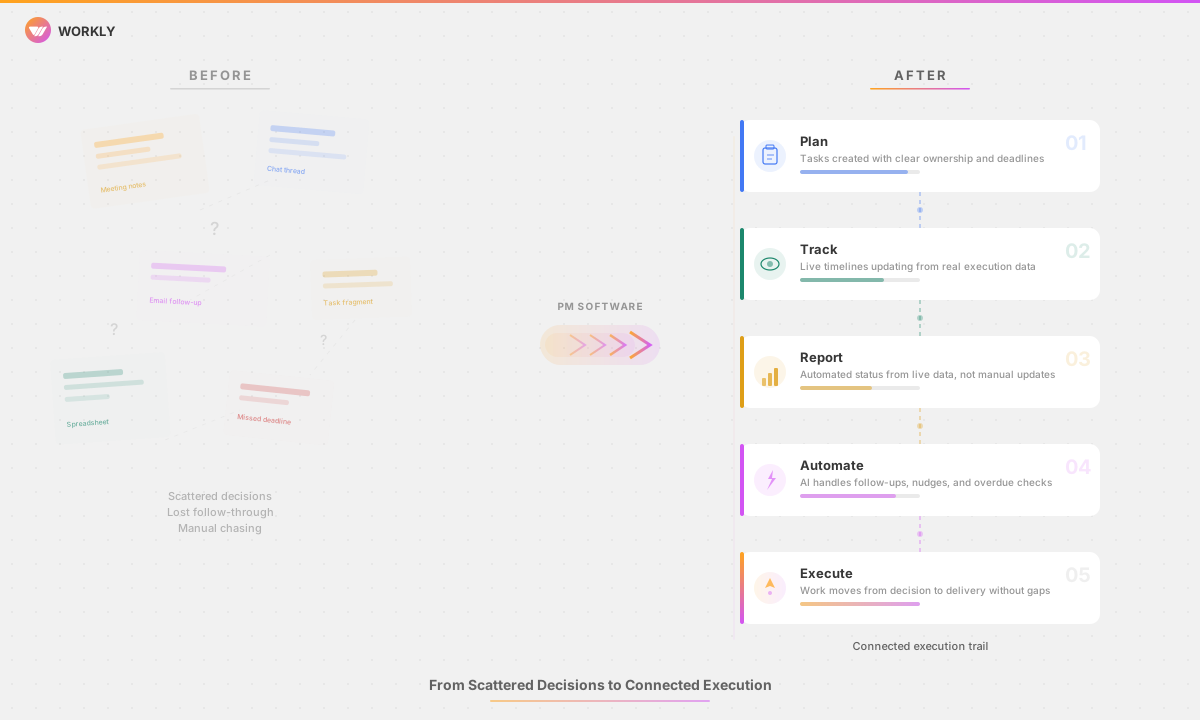
Ever been through the feeling when everyone's dedicated to work, but deadlines keep getting missed? Tasks are assigned, conversations happen about next steps, but then everything just stalls because everything depends on manual follow-ups. This brings professional workflow management into the picture. Ever been through the feeling when everyone's dedicated to work, but deadlines keep …

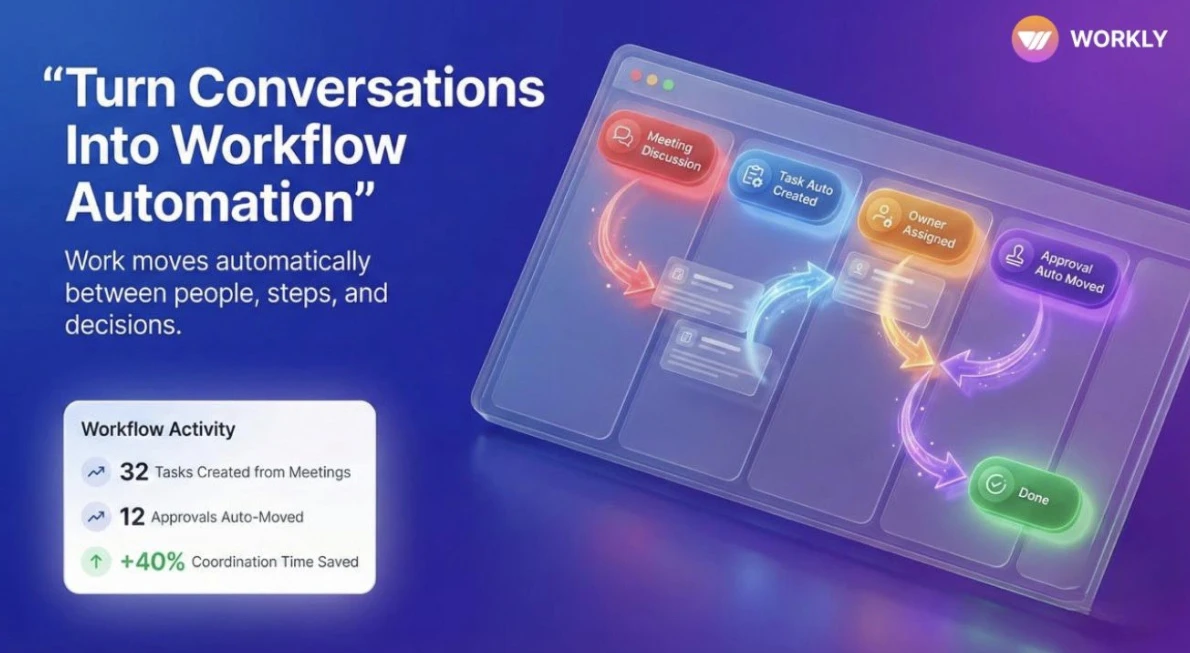
Ever been through the feeling when everyone’s dedicated to work, but deadlines keep getting missed? Tasks are assigned, conversations happen about next steps, but then everything just stalls because everything depends on manual follow-ups. This brings professional workflow management into the picture.
Ever been through the feeling when everyone's dedicated to work, but deadlines keep getting missed?
78% of business leaders say that poorly organized processes consume time and delay delivery. Teams spend nearly 30% of their time on manual work that could be automated. It is not that people are not trying hard enough. There is a lack of a structured system that automatically maintains the flow of things.
Workflow management tools bring order to this chaos by defining the precise workflows between people, steps, and decisions. No more depending on emails, reminders, and meetings. Just bring Workflow management tools like Workly into play to create modern workflows for handling tasks, approvals, and handoffs systematically.
As soon as your team begins adopting workflow management tools, work stops waiting on people and moves through systems faster, clearer, and with far less friction.
What is Workflow Management?
Workflow management is the process of planning, organizing, executing, and optimizing how work moves through your people, teams, and systems. It is not only about work but also about the path that work follows. Workflow Management is not limited to task lists or project plans. This ensures all work is aligned with a defined direction and supported by clear triggers, ownership, approvals, and outcomes.
Workflow Management connects people, processes, and programs to keep operations running without constant manual coordination.
Here’s what workflow management usually includes:
- Task flow between teams
- Approval chains and decision steps
- Handoffs between departments
- Automation of repetitive actions
- Visibility into where work gets stuck
Get this right, and workflow management solutions replaces endless check-ins with real working systems.
Common Team Workflows That Break Without Proper Management
Many teams fail to recognize workflow issues until work begins to slow down. Without proper workflow management, even simple tasks become unreliable and fragile.
Marketing Approvals
Marketing processes break when approvals depend on continuous emails and follow-ups over a structured system. Campaigns continue to stay idle in draft, creatives still pending for review, and launch date slips or are re-scheduled.
Here’s what happens without workflow management:
- Feedback comes from multiple channels
- No one knows who approved what
- Final versions get delayed
A structured approval workflow system like Workly will move any project through the review process, secure required approvals, and deploy it live without errors or delays.
Employee Onboarding
It may appear simple to onboard a new member into the team until you actually start. You have accounts to set up, paperwork to sign, teams to loop in, and training to complete.
Without workflow management:
- Tasks are missed
- New hires wait for access
- HR follows up manually
Automated onboarding processes ensure that each step triggers the next and that no step requires reminders.
Sprint Planning
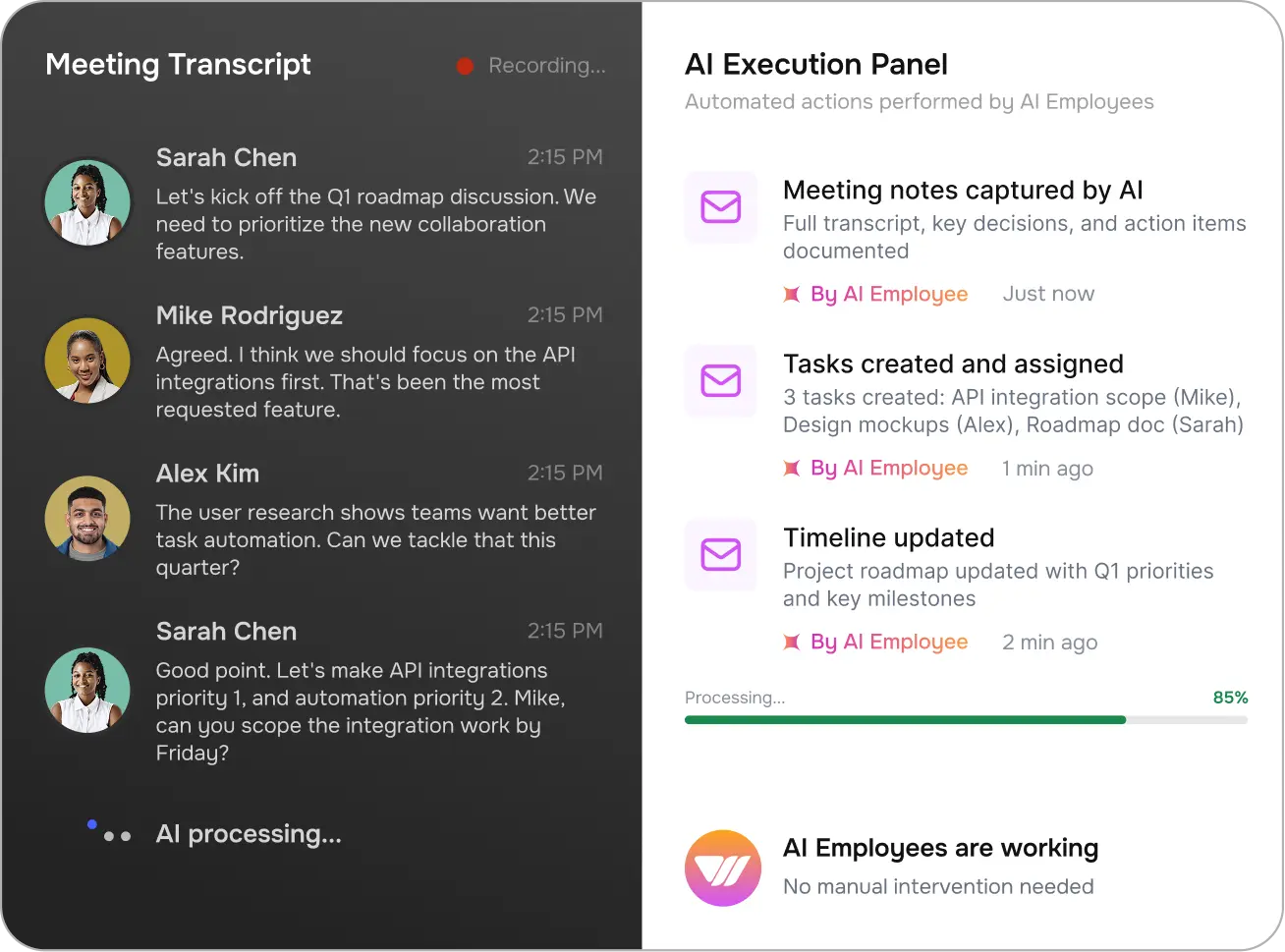
Sprint workflows often collapse after planning meetings. You discuss activities, rearrange priorities, and execution slows.
Here’s what happens without workflow management:
- Important decisions stay in meeting notes
- Ownership isn’t enforced
- Everything needs manual nudging to move
Workflow tracking software converts sprint decisions directly into execution.
Support Tickets
When tickets bounce between teams without visibility, support workflows break down.
Without workflow management:
- Tickets get stuck
- SLAs are missed
- Customers wait
Automated workflows route, escalate, and resolve issues faster.
Finance Approvals
The workflows for Expense and payments are difficult to approve.
Without workflow management
- Requests stays unreview
- Finance teams chase confirmations
- Deadlines slip
The approval workflow system eliminates guesswork and delays by putting everything at your fingertips.
Content Publishing
The content workflows fail between drafting, editing, search optimization, and publication.
Without workflow management, you are juggling between:
- Versions get confused
- Publishing slows
- Accountability disappears
Clean workflows ensure content flows without delay.
10 Best Workflow Management Tools To Automate Your Tasks
Workflow management tools vary widely. Some just track progress, others handle automation, and a handful focus on execution. Here are the relevant tools for modern teams.
1. Workly
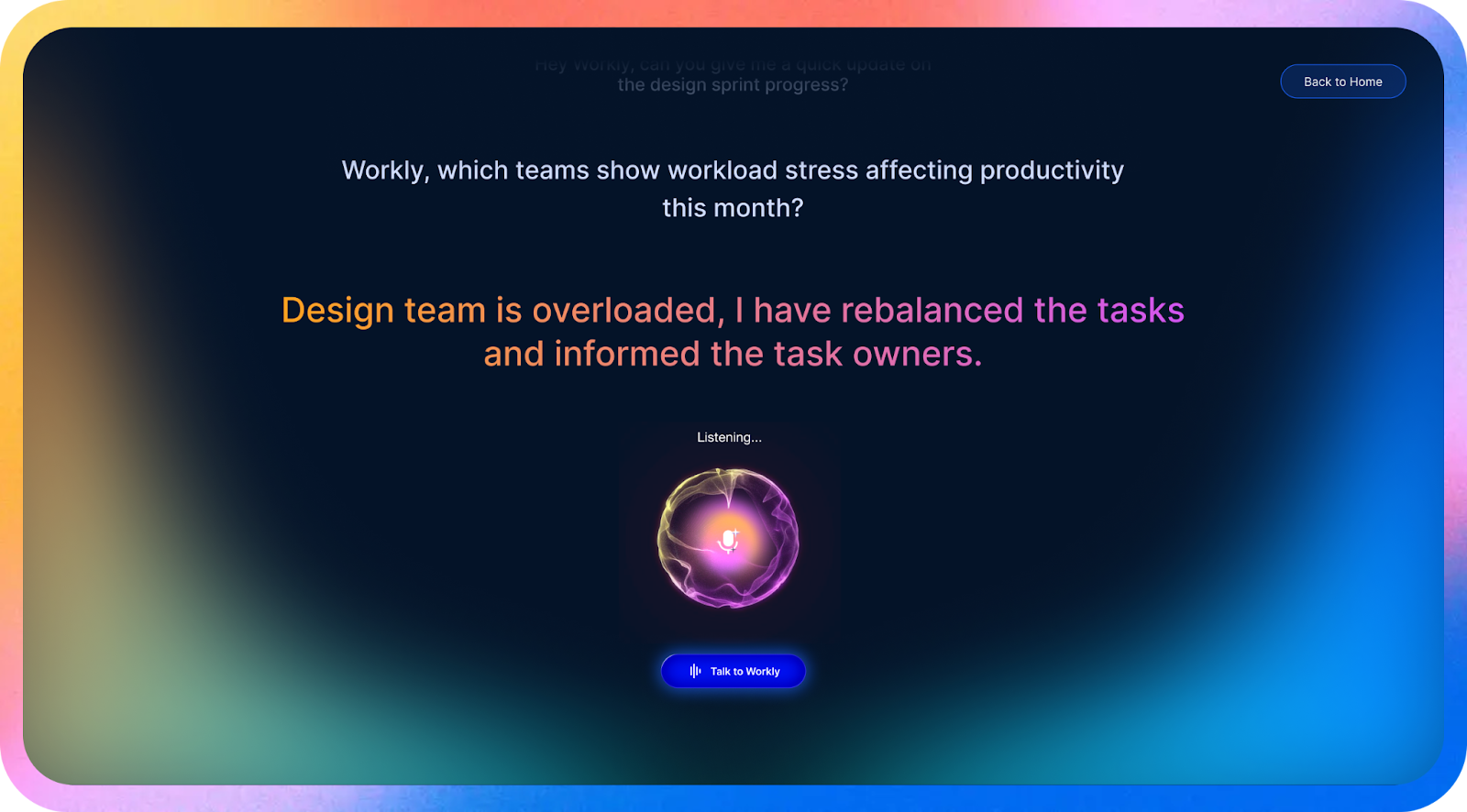
Workly leads the list of best workflow management tools exist for teams tired of managing workflows manually. Rather than asking for update tasks, chase approvals, or move work forward, Workly brings in AI Employees that handle workflows on autopilot.
Meeting decisions become tasks, approvals trigger actions, and follow-ups happen without reminders.
Workly tackles the exact thing that kills workflows: execution slowing down to human dependency. It’s made for operations-heavy teams who want workflows that run continuously, not stall between steps.
Key Features
- AI Workflow Execution
AI Employees push workflows ahead instead of sitting around for human updates.
- Automated Approvals
Approval workflows trigger actions the moment decisions are made.
- Task Generation
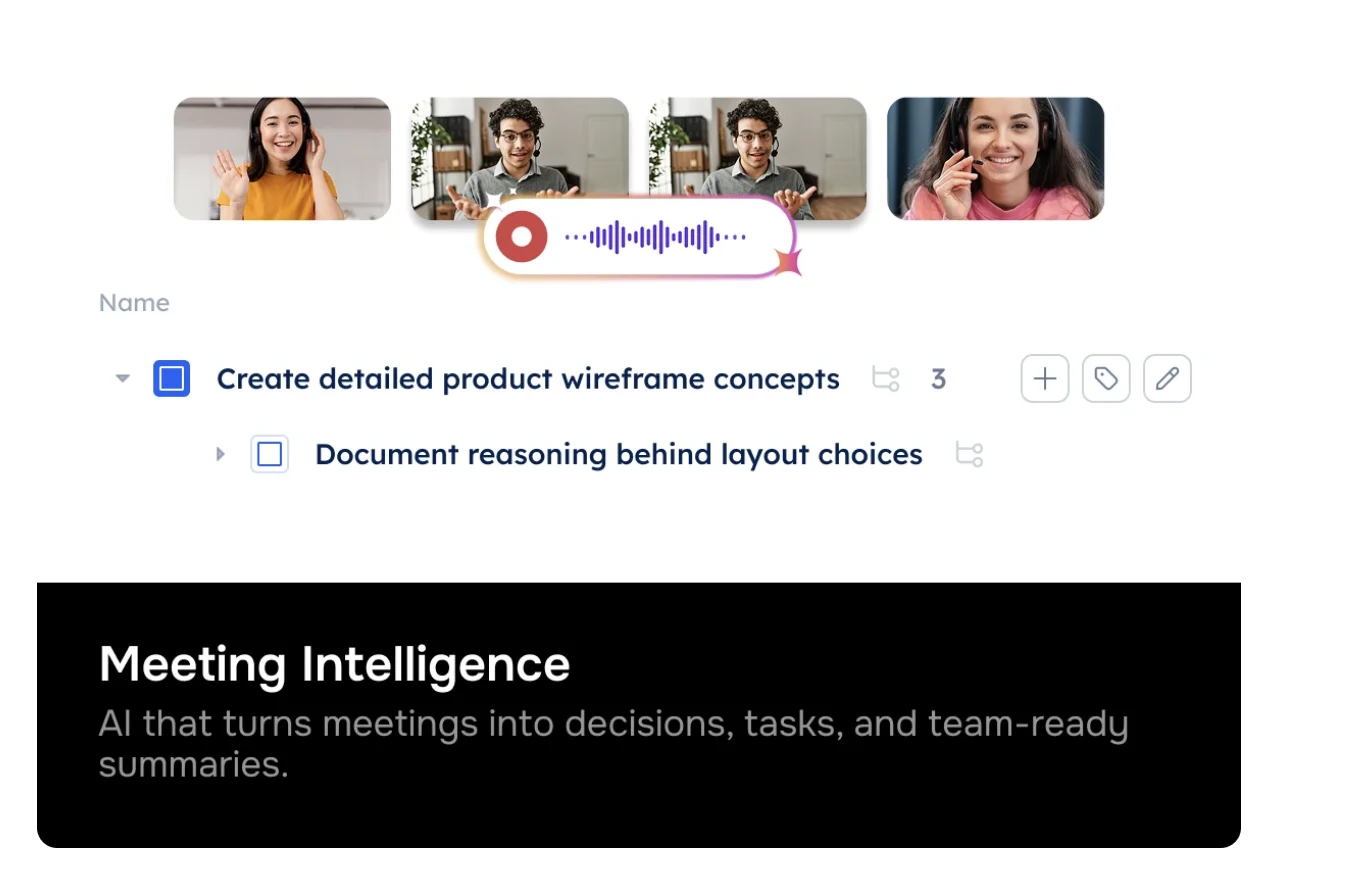
Tasks get built straight from meetings and conversations.
- Workflow Visibility
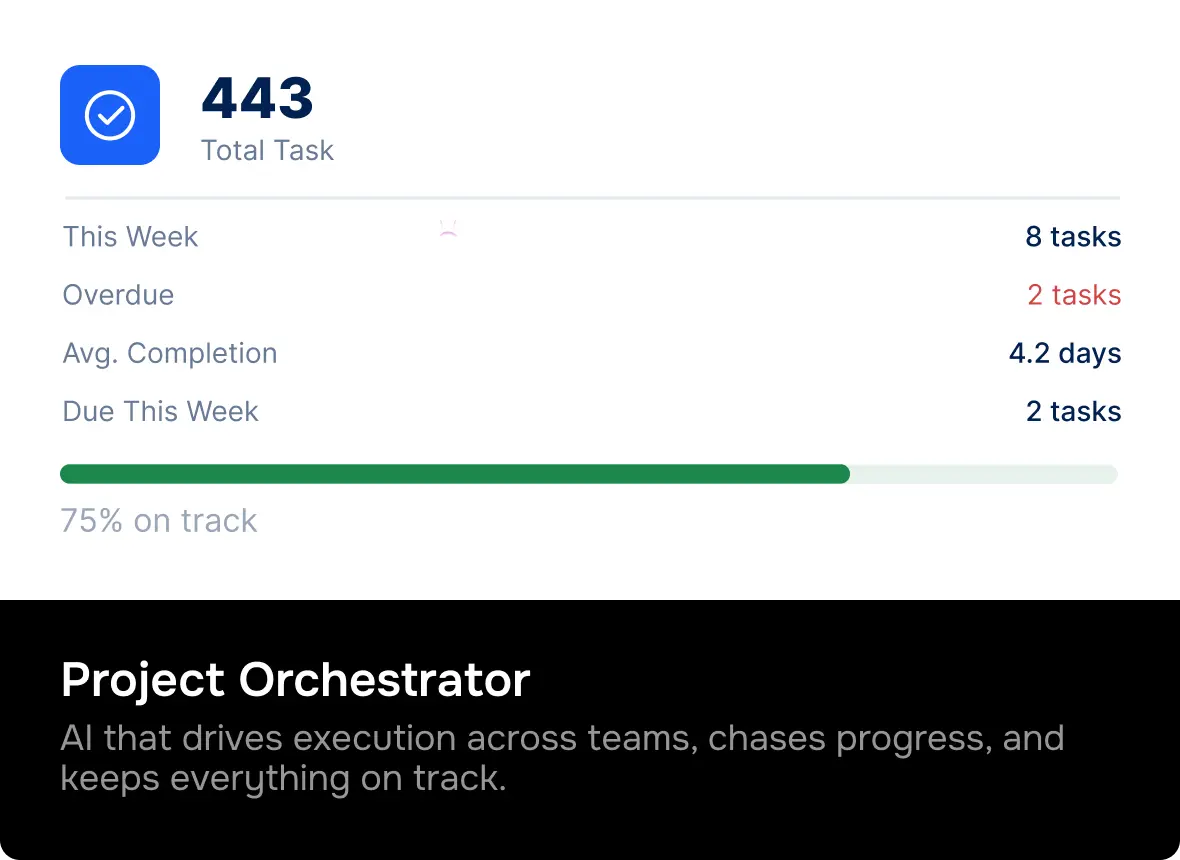
Live view of real time status of work distributed across every team.
- Cross-Tool Automation
Workflows connect meetings, tasks, documents, and communication seamlessly.
Pros
- Cuts down manual coordination
- Strong automation depth
- Clear execution visibility
Pricing
Plan | Price (per user/month) | Best For |
Free | ₹0 | Teams up to 10 users |
Team | ₹999 | Small teams |
Business | ₹1499 | Growing companies |
Enterprise | Contact Sales | Large organizations |
2. Asana
Asana is the best business process workflow tools in the list that allows teams to structure the work by transforming plans into structured workflows.
Projects are planned in lists, boards, and timelines, and rule-based automation handles recurring tasks and status changes.
It is just great for teams that have the need to have someone assigned to each task and a specific time by which the task should be done, but someone is still required to keep the system going and everyone on track.
Key Features
- Task dependencies
- Rule-based automation
- Timeline views
Pricing
- Free: Basic
- Starter: ₹ 990.67/user/month
- Advanced: ₹2252.66/user/month
- Enterprise: Custom quote
3. Monday.com
Monday.com operates based on visual boards and automation rules to move the work through various phases. Teams create their own custom workflows by creating conditional triggers that auto-assign tasks, update statuses, and notify stakeholders. Truly handy pick for non-technical teams that want easy, no-code workflow configuration, but automation may require manual adjustments.
Key Features
- Visual boards
- Automation rules
- Dashboards
Pricing
- Free: Forever
- Standard: ₹1081.71/seat/month
- Pro: ₹1712.71/seat/month
- Enterprise: Custom
4. ClickUp
ClickUp combines tasks, documents, goals, and automation into a single system. Users can create workflows using custom fields, statuses and automation triggers which handle all the routine actions such as assigning owners or closing tasks. The flexibility applies to various team types, but power users may require additional time to customize workflows to their needs.
Key Features
- Custom workflows
- Automations
- Multiple views
Pricing
- Free: Forever
- Unlimited: ₹631.00/user/month
- Business: ₹1081.71/user/month
- Enterprise: Custom
5. Jira
Jira is business process workflow tools built for software team-specific issue tracking and agile workflows. Automates sprint boards, backlogs, and custom statuses with built-in automation for transitions and notifications.
While highly suited choice for engineering work; however, the complexity may overwhelm the teams that do not belong to the technical departments, following the structure of development.
Key Features
- Sprint workflows
- Issue tracking
- Agile automation
Pricing:
- Free: Up to 10 users
- Standard: ₹713.03/user/month
- Premium: ₹1310.67/user/month
- Enterprise: Custom
6. Smartsheet
Smartsheet blends the ease of a spreadsheet with the automation of a workflow. Users create grid workflows where automated alerts, reminders, and status changes, it is easy to work in a tabular view. Ideal in teams that are no longer using Excel, but the spreadsheet base may feel more manual than purpose-built workflow platforms.
Key Features
- Grid-based workflows
- Alerts
- Reporting
Pricing
- Pro: ₹811.28/user/month
- Business: ₹1712.71/user/month
- Enterprise: Contact for Pricing
7. Wrike
Wrike offers personalized workflows in the form of dynamic request forms, automations, and dashboards. Teams define process stages, approvals, and routing rules that make processes repeatable. Good choice when using enterprise teams that require formal controls and reporting however, configuration may be heavier for smaller teams.
Key Features
- Custom workflows
- Resource management
- Reporting
Pricing
- Free: Available
- Team: ₹901.43/user/month
- Business: ₹2253.56/user/month
- Pinnacle: Contact for Pricing
- Apex: Contact for Pricing
8. Zapier
Zapier is not an ordinary workflow tracking software; it integrates apps to one another and automates the activities between them. Teams can trigger workflows in response to events such as form submissions or new tasks, and they take actions across hundreds of tools. It is ideal for integrating systems but does not provide you with the native project tracking on its own.
Key Features
- App integrations
- Trigger-based automation
Pricing
- Free
- Professional: ₹1828.67
- Team: ₹6313.68
- Enterprise: Contact for pricing
9. Airtable
Airtable is a combination of a flexible database and automation that allows teams to build workflow logic on top of tables, views, and triggers. It works well with teams that require an organized methodology with no strict templates, but the flexibility ensures that the team constructs much of the logic.
Key Features
- Automation
- Custom fields
Pricing
- Free
- Team: ₹1805.03
- Business: ₹4061.31
- Enterprise Scale: Contact for pricing
10. Notion
Notion is a workflow tracking software that manages lightweight workflow through databases and relations. The teams create simple automation with templates, connected views, and reminders, and unite documentation with tasks. It’s best for knowledge-centric workflow requirements, but not intensive on automation as specialized tools.
Key Features
- Flexible workflows
- Docs + tasks
Pricing
- Free: Forever
- Plus: ₹901.43/user/month
- Business: ₹1802.85/user/month
- Enterprise: Contact for Pricing
Workly vs Asana: Best Workflow Management Tools
Factor | Workly | Asana |
How work moves | AI helps move work forward automatically | Work moves when users update tasks |
Automation style | AI-assisted workflow execution | Rule-based task automation |
Approvals & follow-ups | Handled automatically by the system | Mostly manual with rules |
Visibility | Live progress without constant updates | Depends on user updates |
Step-by-Step Setup Guide to Create Your First Workflow in 10 Minutes
You do not need to mapping your whole business, nor spend weeks planning to build your first workflow. What you desire is to automate a single thing you continue doing that wastes both your and other employees’ time.
Do it right, and even the most basic workflow process can save hours a day. Here’s how teams use modern workflow management tools to create their first workflow in under 10 minutes.
Step 1: Pick One Repeating Process
Start small. Select a workflow that happens again and again, such as approvals, the onboarding process, or ticket routing. When you repeat the process every day or every week, that is what you need to do.
Good starting workflows include:
- Content or design approvals
- Expense or request approvals
- Task handoffs between teams
First, avoid complicated things. Basic automation is more effective.
Step 2: Define the Trigger
Any workflow must have a clear starting point. The trigger will signal to the system when the workflow should be automatically started.
Common triggers include:
- Someone is creating a task
- A form is getting submitted
- A meeting decision or incoming request
When a trigger happens, the workflow will start automatically without anyone manually initiating it.
Step 3: Map the Workflow Steps
Record the specific procedures to be taken by the tool from start to finish. Be simple and practical.
For example:
- Request submitted
- Review assigned
- Approval required
- Task marked complete
This eliminates confusion and prevents work from randomly bouncing around.
Step 4: Assign Ownership at Each Step
A lack of responsibility disrupts workflows. Assign each step an owner or role so the system knows who will undertake the next activity.
Ownership can be:
- A specific person
- A role or team
- Automatically assigned based on rules
This keeps tasks from just sitting there.
Step 5: Add Automation Rules
Automate the things that are now time-consuming. Allow the system to generate tasks, direct approvals, and follow-ups.
Typical automation includes:
- Auto-creating tasks
- Routing approvals
- Sending reminders if work stalls
This is where all the manual coordination is substituted by the workflow automation software.
Step 6: Test, Run, and Improve
Test the workflow using real data. Track where it slows down or feels unnecessary.
Then:
- Remove extra steps
- Adjust rules
- Improve handoffs
The majority of teams make workflow modifications once they have tested them. That is quite normal and natural.
Why Teams Use Workflow Management Tools for Everyday Work
Teams do not transition to Workflow management tools because they love processes. They do so because everyday work becomes expensive without structure.
Research continues to indicate that 20-30% of an individual’s work hours are wasted on manual coordination, follow-ups, and updates. A workflow management tool is available to reclaim that time and transform the daily execution into a real system rather than chaos.
Less Time Spent Chasing Work
In most teams, managers and leads burn a surprising amount of time chasing updates.
On average:
- 6–8 hours per week lost to follow-ups
- 1 in 3 messages is just asking for status
Workflow management tools like Workly automate movement and notifications, slashing coordination time by up to 40%, so teams can focus on real work.
Faster Approvals and Decisions
Approval delays are one of the biggest invisible roadblocks in daily operations.
Without workflows:
- Approvals drag 2–3× longer
- Decisions get lost in email or chat threads
With automated approval workflows like Workly, teams often see:
- 30–50% faster approval cycles
- Clear audit trails without needing meetings
That speed adds up over weeks and months.
Clear Ownership Reduces Delays
Unclear ownership is a huge reason tasks stall. Research shows tasks without explicit owners are up to 2× more likely to miss their deadlines.
Workflow management tools:
- Assign ownership by default
- Make handoffs visible
- Reduce “someone else is doing it” confusion
This alone makes delivery way more reliable.
Better Visibility Improves Planning
Managers often work with outdated information. Reports rely on manual updates, which means decisions lag behind what’s actually happening.
Teams using workflow tracking software like Workly report:
- Real-time visibility into 90%+ of active work
- Faster identification of blockers
- Fewer last-minute escalations
Visibility replaces guessing with actual confidence.
Standardization Cuts Errors
Manual processes make mistakes. Skipped steps, wrong versions, and missed approvals create rework.
Organizations that standardize workflows typically see:
- 20–25% reduction in errors
- Fewer rework cycles
- More consistent output
Automation enforces the process without slowing anyone down.
Easier Scaling Without Adding Headcount
When the workload goes up, teams usually hire more people. Workflow management tools change that math.
Well-designed workflows help teams:
- Handle 20–30% more work with the same headcount
- Scale operations without overwhelming management
- Maintain quality as volume increases
This is where ROI becomes crystal clear.
Measurable Productivity Gains
When everyday work flows rather than stalls, results show up.
Common outcomes reported by teams using workflow management tools:
- 25–40% reduction in coordination time
- Faster turnaround on routine tasks
- Higher output without longer workdays
That’s why workflow management isn’t just “process” anymore, it’s how you get more efficient.
Workflow management tools pay for themselves not not by doing more, but by wasting less time, fewer mistakes, fewer delays. For everyday work, that impact adds up fast.
FAQs
What is workflow management?
Workflow management organizes how work moves between steps, people, and systems to ensure consistent execution.
Is workflow management different from project management?
Yes. Workflow management focuses on flow and execution, while project management focuses on planning.
Do small teams need workflow automation software?
Yes. Automation saves time even for small teams.
What workflows should be automated first?
Approvals, onboarding, and recurring processes.
Is workflow automation expensive?
Modern tools offer scalable pricing and strong ROI.
Stop Managing Work. Let Workly Handle It
Workly replaces manual coordination with AI-driven execution to automate tasks, approvals, and follow-ups.
If your team is ready to stop chasing work and start scaling operations cleanly, this is where Workly’s workflow automation capabilities finally clicks.
Start a free trial and feel the difference automation makes.
AI-First Collaborative OS
Stop managing tools. Start running work.


Emily Carter
Technical writer specializing in SaaS product documentation and in-app guides. Converts engineer-heavy inputs into clear user journeys, FAQs, and release notes.